Disclosure: This post contains affiliate links, which means I may earn a small commission if you purchase a product through my link. I only recommend products and apps I truly love and find useful. Thank you for supporting my blog!
With one of my husband’s hobbies being photography, we knew our announcement photos for our babies were going to be important. All of our baby announcement photos were meaningful to us, and our gender announcement photos had artistic and creative elements. It never really costs much to create any of these, either. We mostly purchased just a onesie or an outfit for each. Then, we would use things we already had to create a flat lay, but most pictures we just needed to find the perfect place in nature to take.
Baby #1 Announcement Photos
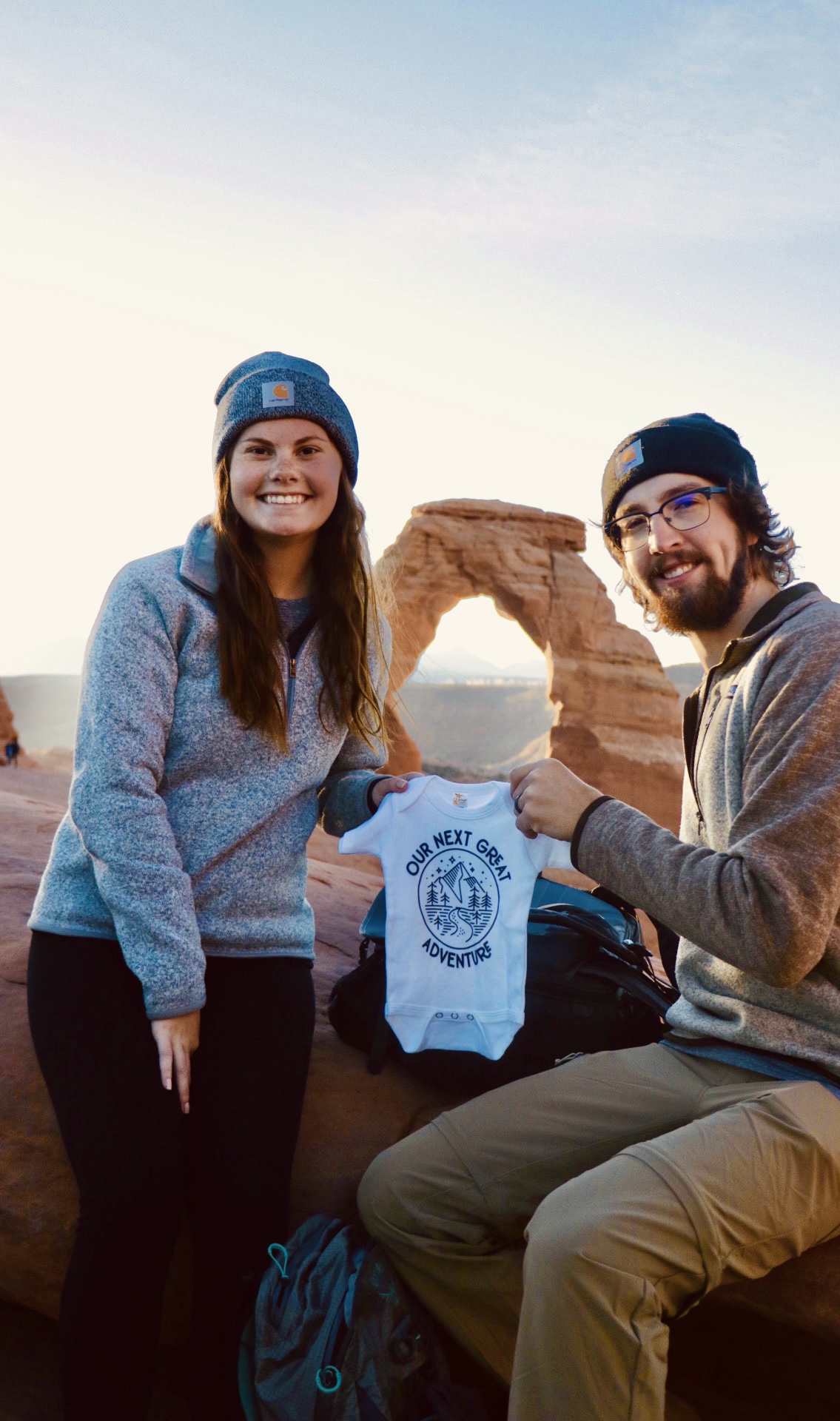
I was already 13 weeks pregnant by the time we went on our honeymoon. It was an amazing trip where we visited many National Parks. We had decided to take a picture at each park, and this one was probably one of my favorites. We picked a significant landform or used magnets from each park in our pictures so we would know exactly where each picture was taken.
You can find the “Our Next Great Adventure” Onesie here.
You can read more about our honeymoon and see all of the announcement photos we took here on the blog.


Our first baby girl gender announcement was a flat lay consisting of an outfit, a letterboard sign, the anatomy ultrasound pictures, and some of the dried flowers that we used at our wedding. This was our first gender announcement, so we wanted to create a tradition where we would purchase an outfit to announce with and then our baby would eventually be able to wear.
Baby #2 Announcement Photos
It just so happened to work out that our first daughter started walking just as we were ready to announce the pregnancy of our 2nd. We used that opportunity to take pictures of her standing up and a video of her walking holding the ultrasound. I had found this shirt on Etsy that said “big sis.” and thought it was simple and perfect. This time the ultrasound was part of the focus for our announcement picture.


We found out the gender of baby #2 during the summer, so we knew we wanted to take a picture outside this time. We live on a farm and are obsessed with the cows so we figured that would make it meaningful and unique. We bought a cute pink outfit to show that we were expecting another girl.
At first we weren’t sure about how to show the outfit and ultrasound, but this is a great example to how to use what you have. My husband just had to be very careful hanging it all up on the electric fence. We also fought the summer breeze hard when taking this one. We took lots of photos and managed to still get one or two good ones.
Baby #3 Announcement Photos
We went on a trip to Mexico when I was around 13 weeks pregnant. Some family members had already known we were pregnant again, but a lot of people still did not. We saw this as the perfect opportunity to take announcement pictures featuring the beautiful beach and use a travel-themed onesie.
You can find the “Our Newest Carry On” Onesie here.


This is the gender announcement photo we took for our third baby girl. With her being expected in April, we found out her gender during the winter. We lucked out having snow and found these berries on our property to add a pop to the picture without taking away from the pink outfit.
I always like to include the ultrasound in the picture if possible. This time it worked great to cover up the unattractive hanger that was keeping the outfit together.
Tips and Tricks for Taking Your Own Announcements Pictures
Decide what you want the focus to be– we mostly used onesies or outfits for all of our announcement pictures. Some other ideas include using your kids, your belly, letterboard, baby shoes, etc.
Use good lighting– natural lighting is the best. Take the picture by a window or even outside, if possible. Keep the lighting in front of you, not behind you, if you are in the picture.
Take a few pictures– taking more than you need allows you to pick the perfect one
Edit lightly– adjust the brightness if needed or warm up the picture a touch